


Introduction
In today’s cloud-first world, securing web applications is non-negotiable. If you’re hosting applications on Microsoft Azure, one of the most critical steps is enabling HTTPS using SSL/TLS certificates in Azure App Service.
When you deploy applications on Azure App Service, one of the first things you should think about is how secure your application is when users access it. It not only protects sensitive data but also builds trust and ensures compliance with modern security standards.
This blog is a continuation of the blog on App Service - Part 1
What is a SSL/TLS?
SSL stands for Secure Sockets Layer and TLS stands for Transport Layer Security.
Both are cryptographic protocols designed to secure data transmitted over the internet, with TLS acting as the modern, more secure, and updated successor to SSL.
Although SSL was deprecated in 2015, the term "SSL" is still commonly used interchangeably with TLS.
This certificate includes serving on the following:
- Encrypt data between the user and your application
- Prevent attackers from intercepting sensitive information
- Build trust (that padlock icon really matters)
- Even help with search engine rankings
This is not just a “security add-on.” It’s a basic requirement.
Types of SSL/TLS Certificate
When working with applications on Azure App Service, understanding the different types of SSL certificates is important for choosing the right level of security and trust.
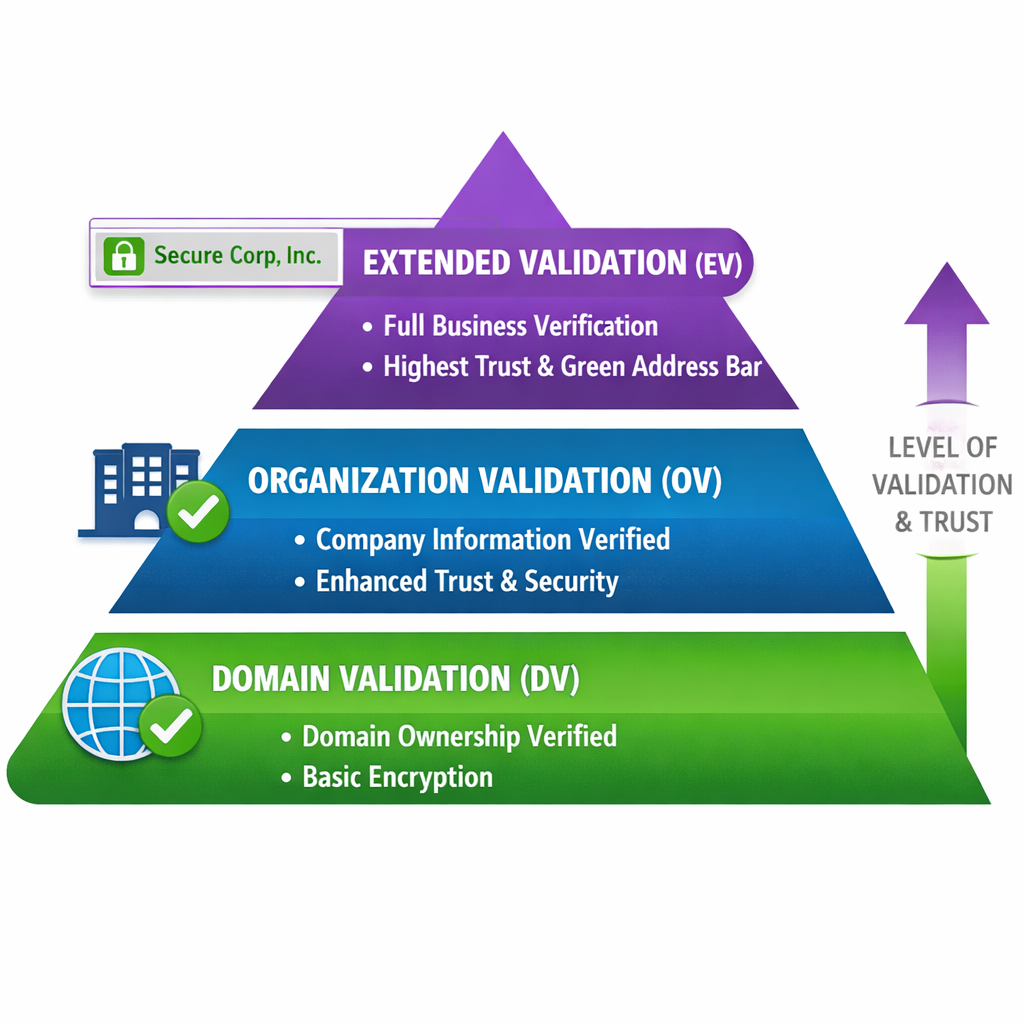
SSL certificates can first be categorized based on validation level.
- Domain Validation (DV) certificates are the most basic and are typically issued quickly, verifying only domain ownership, making them ideal for small or non-critical applications.
- Organization Validation (OV) certificates go a step further by verifying the business behind the domain, which adds credibility for customer-facing applications.
- Extended Validation (EV) (At the highest level) certificates provide the strongest trust by performing strict verification checks, commonly used by banks and enterprise platforms.
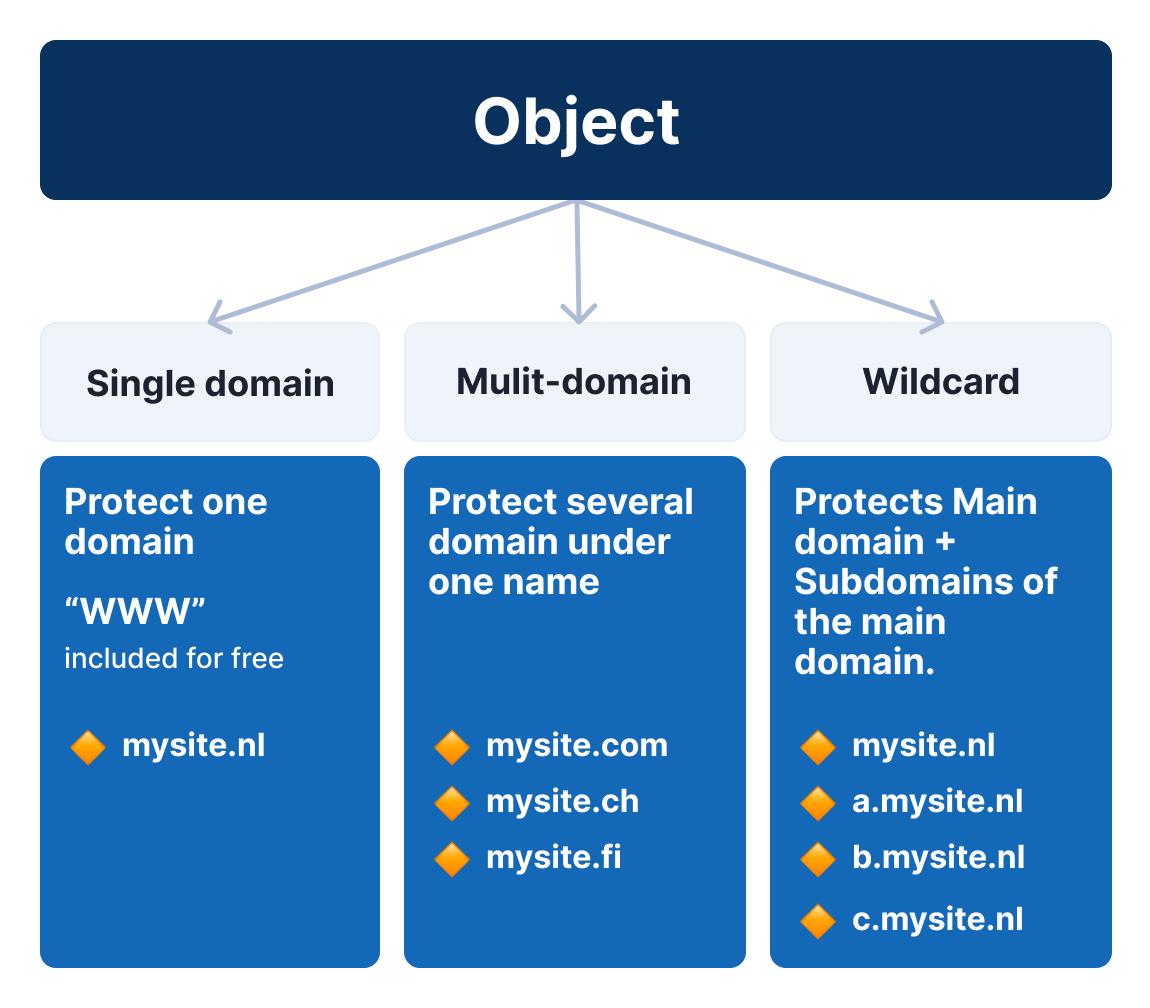
Certificates are also categorized based on domain coverage.
- A Single Domain certificate secures one specific domain,
- A Wildcard certificate covers all subdomains under a single domain (e.g., *.example.com), making it suitable for scalable applications.
- Multi-Domain (SAN) certificates allow several domains to be secured under one certificate. For organizations managing multiple domains,
In Microsoft Azure, these options map directly to different use cases, from free managed certificates for simple apps to advanced bring-your-own certificate (BYOC) setups for enterprise environments.
Choosing the right type ultimately depends on your application’s scale, security needs, and level of trust required.
Real purpose of SSL/TLS Certificate
Whenever a user interacts with your app (login, form submission, API calls), data travels over the internet. Without SSL, this data is sent in plain text being vulnerable to attackers.
However, with the With help of SSL/TLS Certificate the Data is encrypted and the Attackers cannot read or intercept the data being shared
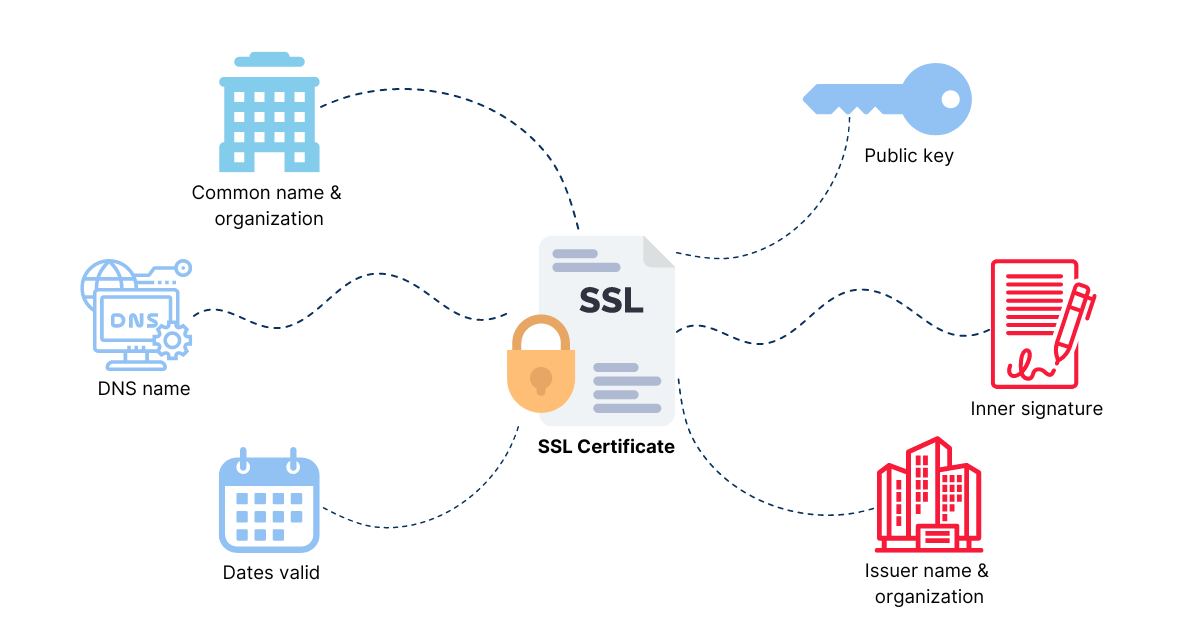
Certificates are issued by trusted Certificate Authorities. This ensures users are actually connecting to your application, not a fake one.
This will prevent Phishing attacks and fake websites impersonating your app
SSL helps mitigate risks like the following:
- Man-in-the-middle (MITM) attacks
- Session hijacking
- Data tampering
The Three Certificate Options in Azure?
When working with Azure App Service, you’ll typically choose between three types of certificates. Each serves a different purpose depending on your scenario.
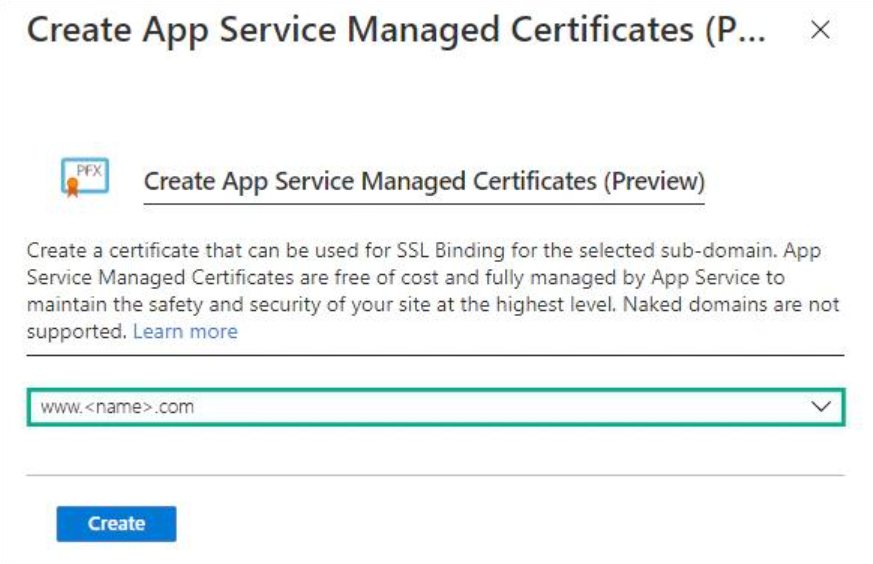
Azure provides a free managed certificate, and honestly, it’s perfect for getting started.
As you don’t have to worry about buying anything or renewing it. Azure handles everything in the background.
However, it’s not built for complex needs. If you’re dealing with multiple subdomains or enterprise-level setups, this option might feel limiting.
these are mainly suited for Small apps, internal tools, proof-of-concepts, or dev/test environments., which i use alot in the POC environments
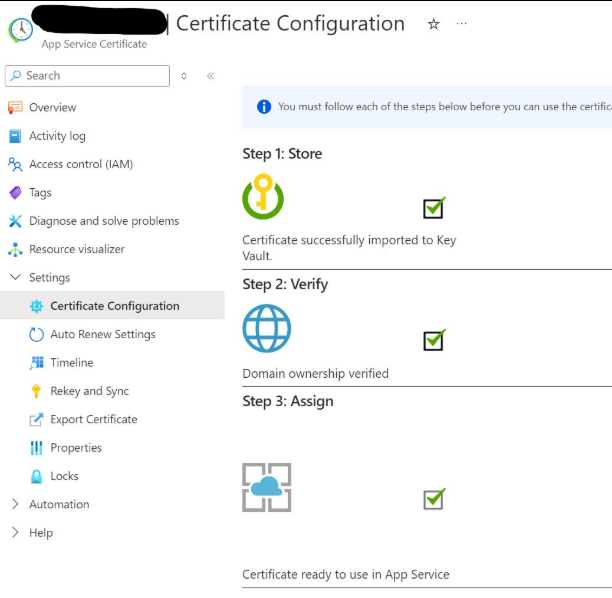
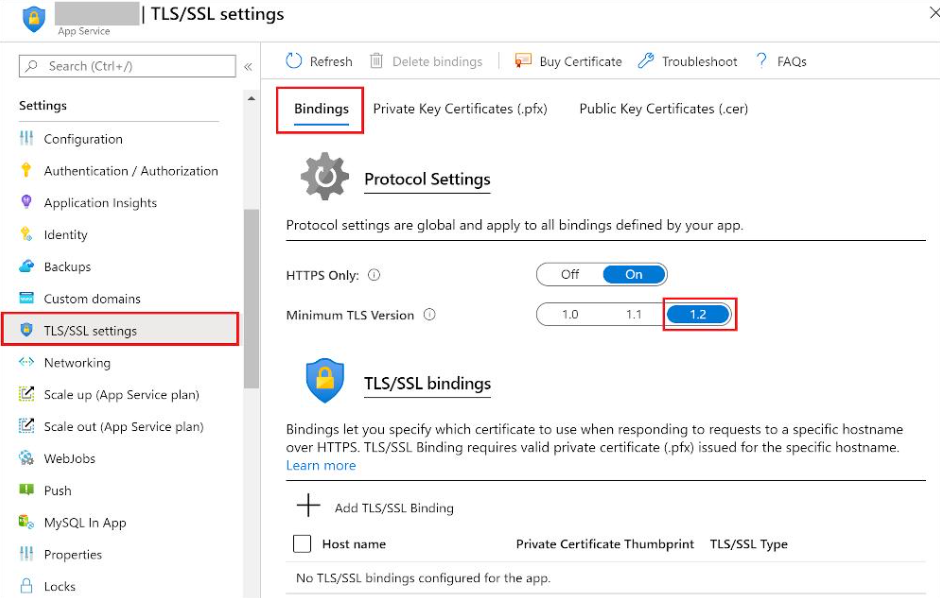
If your application is customer-facing or business-critical, this is usually the safer route.
You can purchase a certificate directly through Azure, and it integrates nicely with your App Service. These certificates are issued by well-known authorities, which adds credibility and trust.
There’s a cost involved, but in most production scenarios, that’s expected.
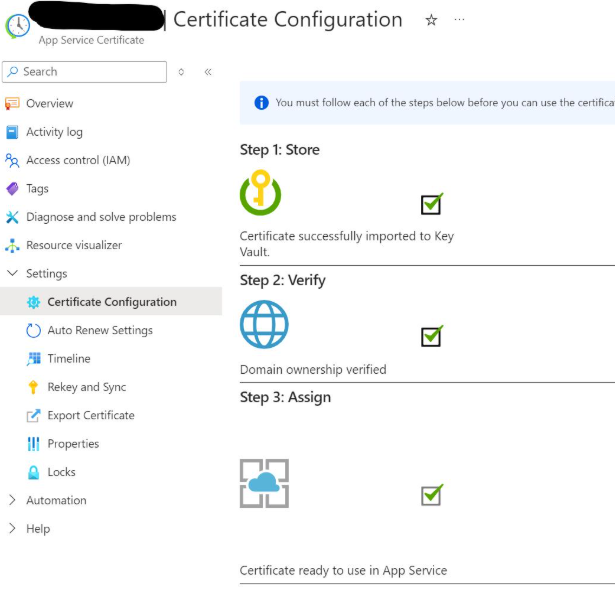
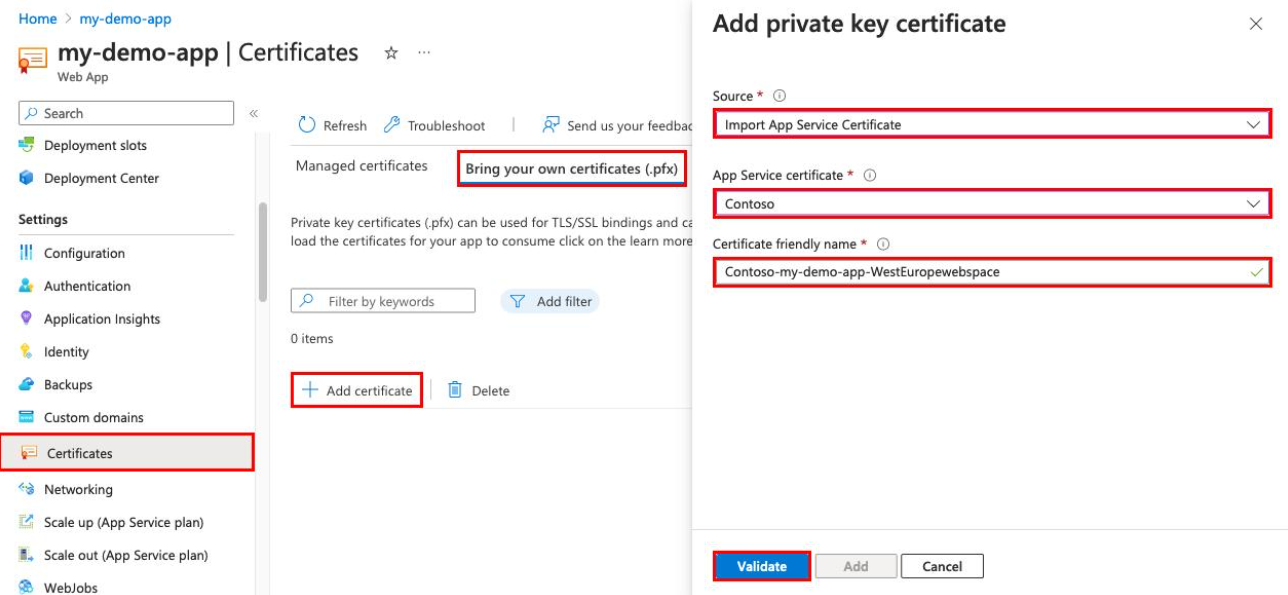
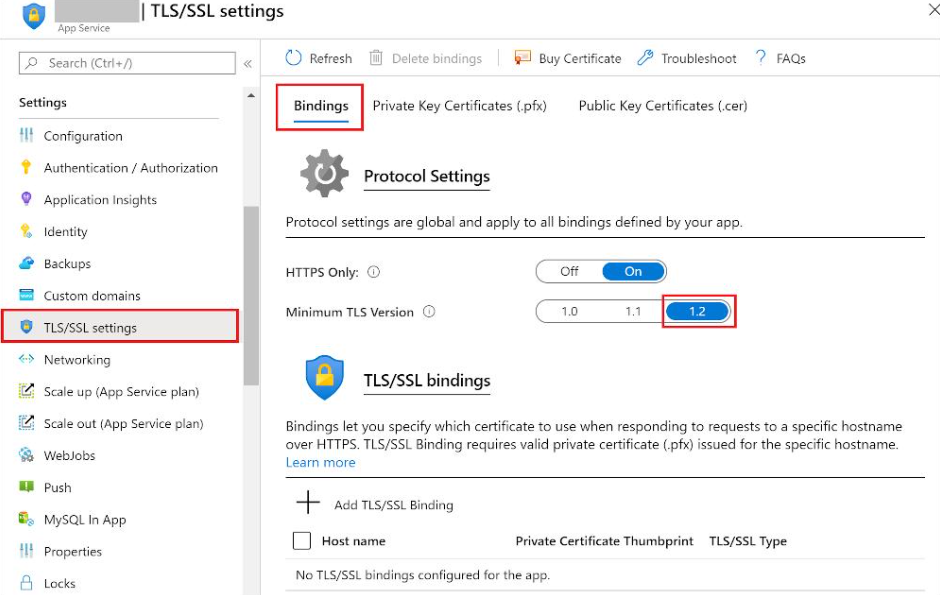
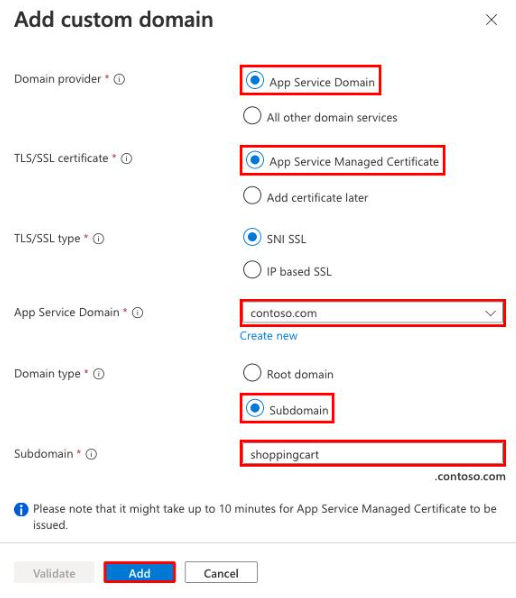
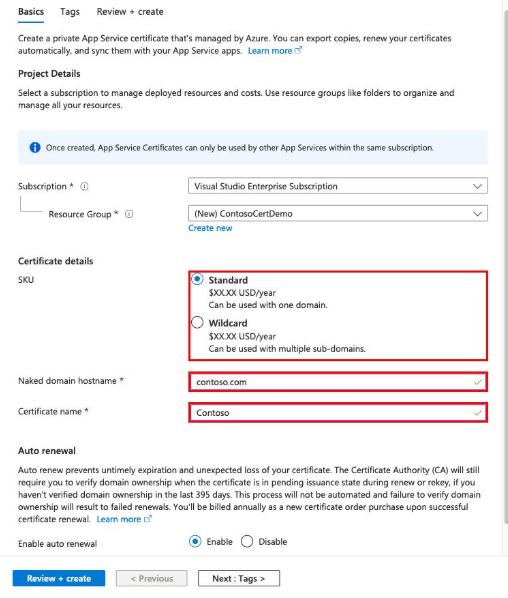
This is where things get more flexible and a bit more advanced which I love in proposing the customer in BYOC
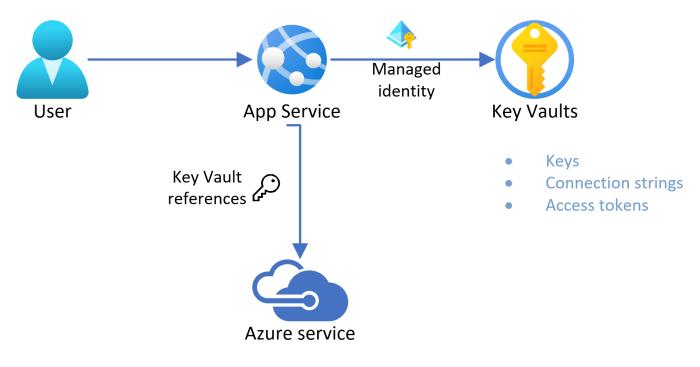
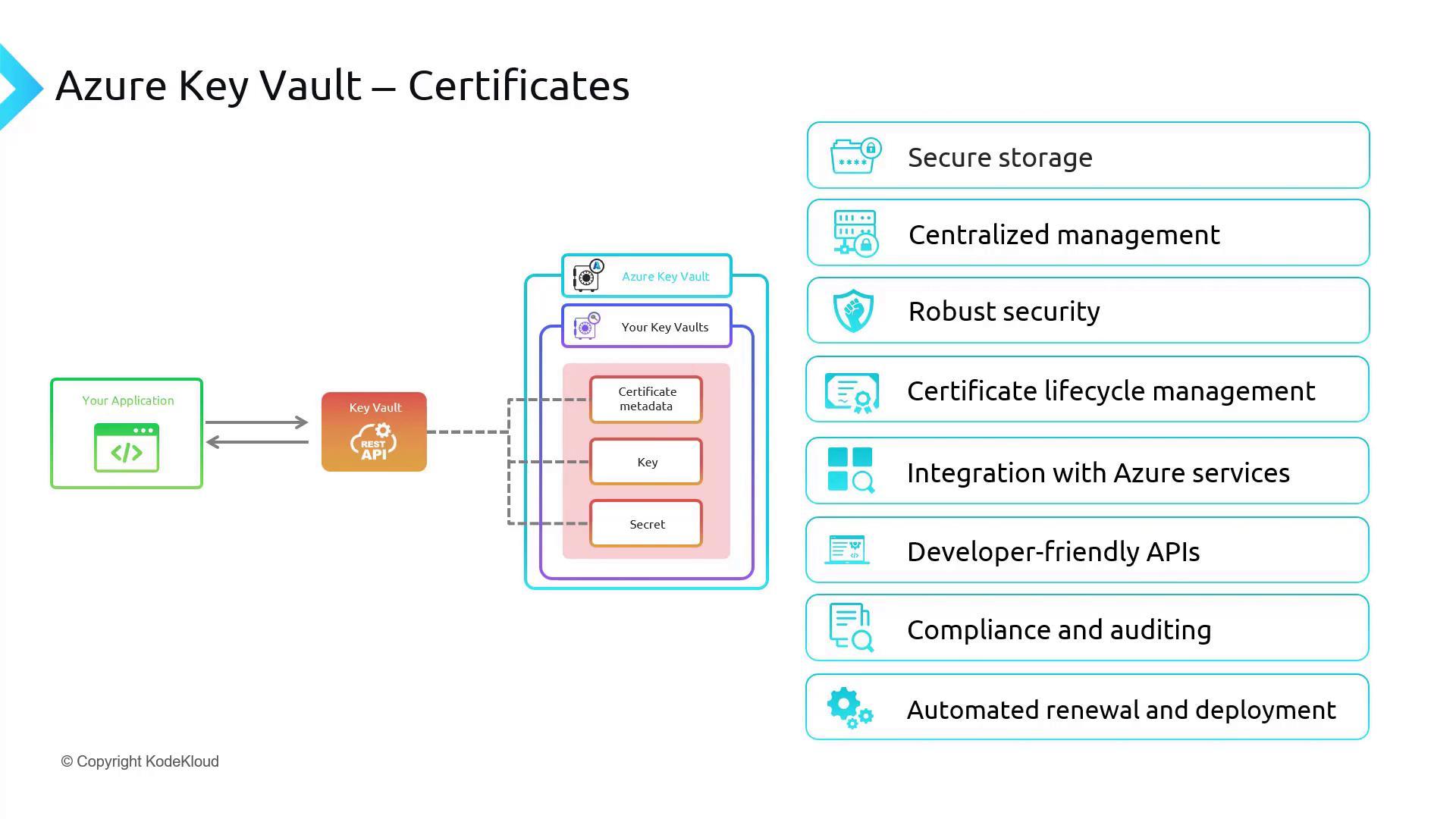
With the Bring Your Own Certificate (BYOC) approach, you can upload your own certificate or pull it directly from Azure Key Vault (Refer to my blog on Azure Key Vault)
This is especially useful if:
- You already have certificates from another provider
- You need wildcard certificates (*.yourdomain.com)
- You’re managing multiple domains
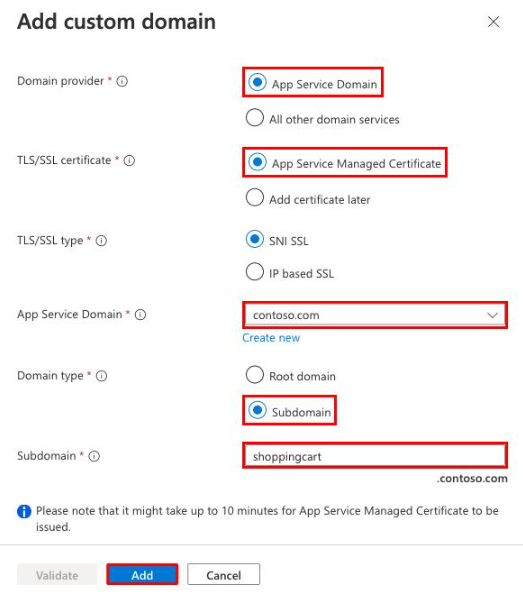
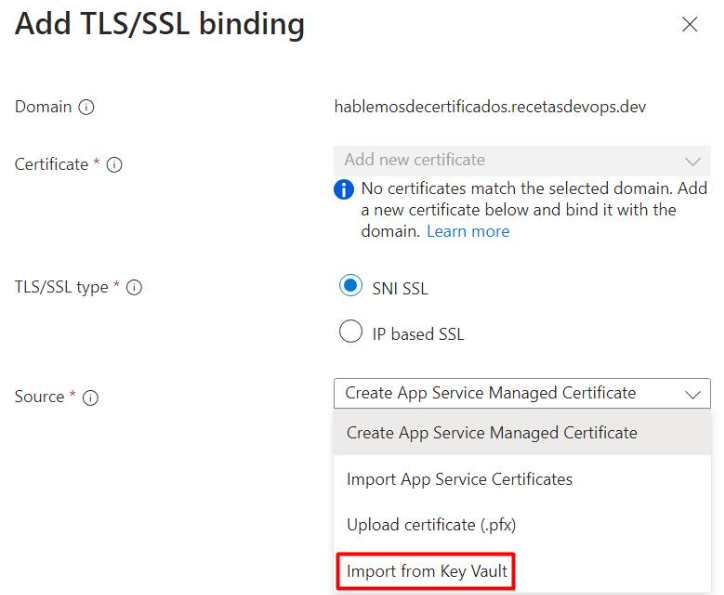
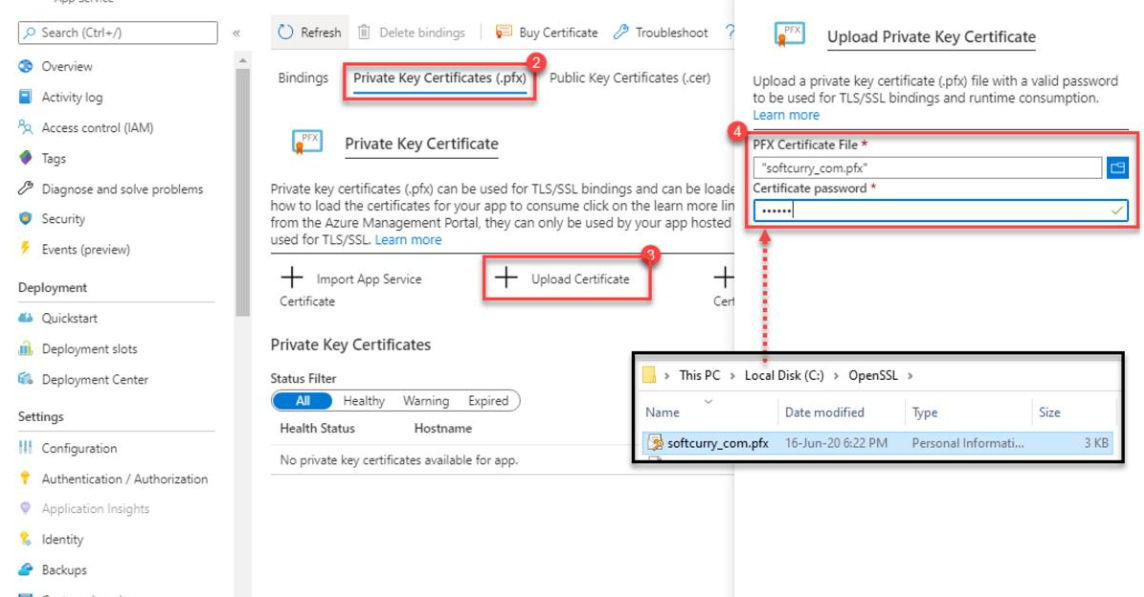
The neagtive thing on this is where the customer or the SLA partner will be responsible for managing renewals and lifecycle (unless you automate it).
What is SSL/TLS Binding and How it works on Azure
SSL Binding (or TLS binding) is the process of linking a digital certificate to a specific website, domain, or IP address on a web server to enable HTTPS encrypted communication
Once you have a certificate, you still need to attach it to your app. Azure gives you two ways to do that:
- SNI SSL (recommended): Works for most modern applications and allows multiple domains on the same IP.
- IP-based SSL: Needed only if you’re dealing with older systems that don’t support SNI.
For most cases today, you’ll stick with SNI and never look back.
SSL/TLS Handshake
TLS/SSL Protocol Sequence
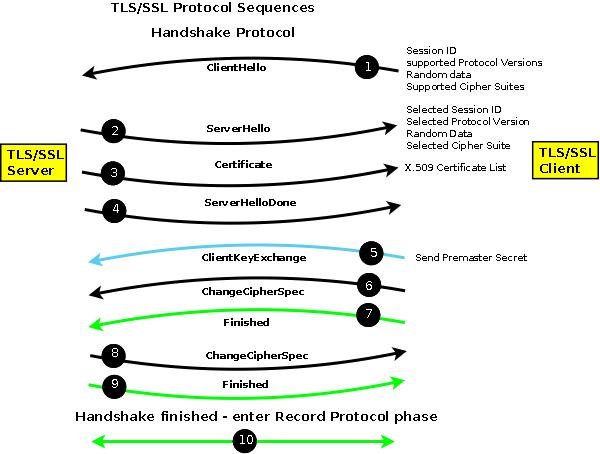
SSL/TLS Handshake Process
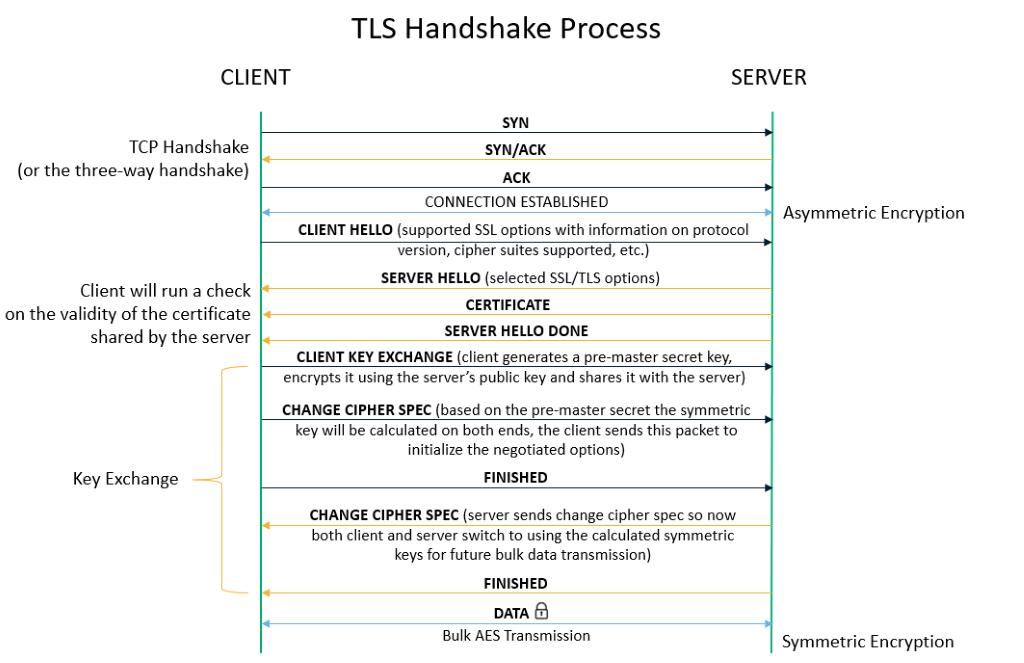
Key things to understand in highlevel is that
- Authentication – verifies the server (and optionally the client)
- Key Exchange – agrees on encryption keys
- Secure Communication Setup – starts encrypted data transfer
Why Other Certificates Are Also Important
SSL is just one piece of the puzzle. In Microsoft Azure, certificates are used in multiple ways beyond HTTPS.
This is used to verify identities between systems. such as:
- App-to-App authentication
- API security
- Service-to-service communication
Instead of usernames/passwords, certificates provide stronger, more secure authentication.
With Mutual TLS (mTLS), the server verifies the client and the client verifies the server
This is commonly used for Securing APIs, B2B integrations Banking and/or enterprise systems
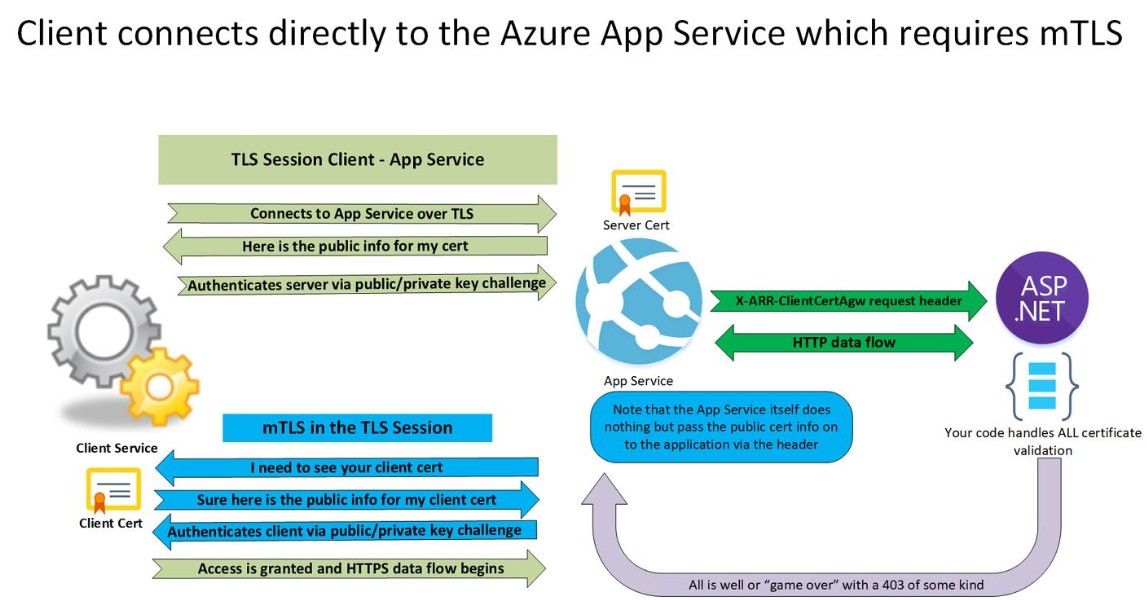
These Certificates are also used when integrating with services like the following:
- Azure Key Vault
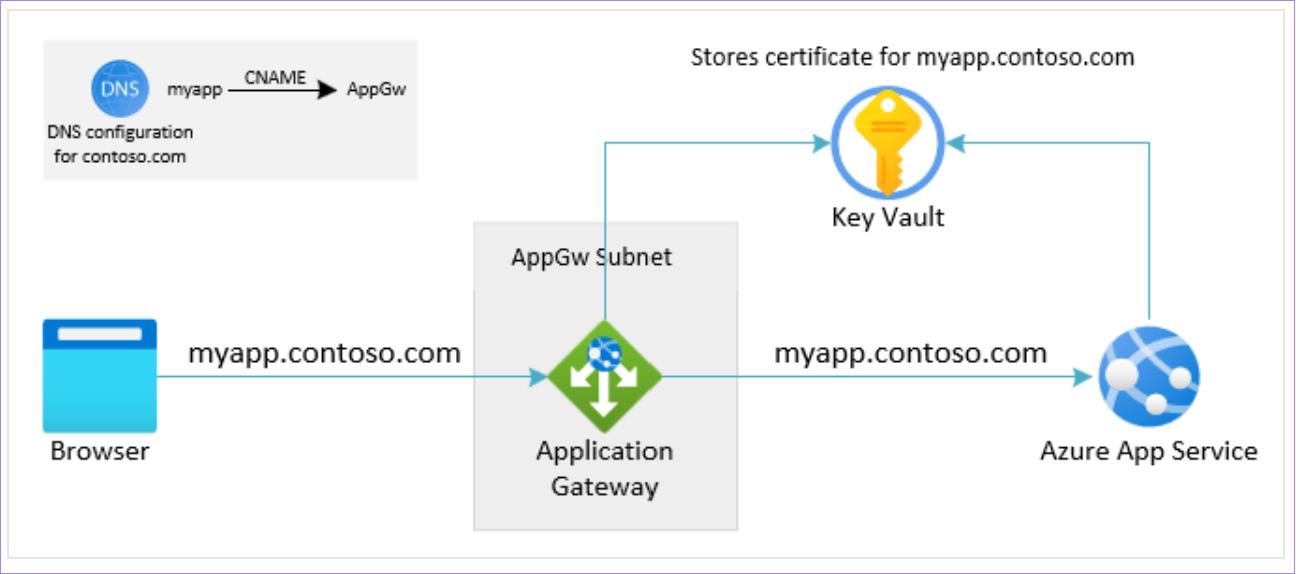
- Application Gateways
- API Management
As they help ensure a secure communication between components and establish Trusted connections across services
In many industries (finance, healthcare, government) as based on the Entreprise Accounts I have dealt with, the Certificates are mandatory
Moreover, Encryption is enforced by policy and Identity must be verified strongly
To manage these is a quite hard task and without proper certificate management, your system may fail audits or compliance checks.
Architecture Overview (Recommended)
When you secure an app in Azure App Service, the architecture is simple but powerful:
A user types your URL (e.g., https://yourapp.com). The browser expects a secure connection.
If your app talks to APIs, databases, or other services, certificates can also secure those connections.
Conclusion
From my experience working with Azure App Service, securing applications with SSL and proper certificate management is something that often gets underestimated at the start, but becomes critical in production.
In several deployments, I’ve seen that simply enabling HTTPS isn’t enough. The real value comes when you design the architecture properly; storing certificates in Azure Key Vault, enabling auto-renewal, and enforcing HTTPS-only access. These small decisions prevent major issues like downtime due to expired certificates or security warnings shown to users.
One key lesson I’ve learned is that certificate management is not a one-time setup; it’s an ongoing responsibility. Monitoring expiry, disabling outdated TLS versions, and ensuring secure communication between services all play a role in maintaining a reliable and secure application.
Overall, when these best practices are followed, the platform becomes much more stable, secure, and ready for real-world production use.
